Support our educational content for free when you purchase through links on our site. Learn more
Smart Bike Technology Integration: Build a Smarter Ride 🚲

Smart Bike Technology Integration works best when compatible devices solve real riding problems—not when your handlebars become a charging station with pedals. Start with what matters to you, such as safer commuting, reliable navigation, theft alerts, or useful e-bike data, then add technology that works together and remains easy to maintain.
A connected ride can be as simple as a GPS computer paired with a rear light, or as integrated as an e-bike system coordinating its motor, battery, display, and app. We’ve seen riders get more value from one well-chosen feature they use every day than from a dashboard full of data they never check.
The bigger picture reaches beyond your bike, too: projects such as BITS have tested more than 30 smart-cycling solutions across four European countries, exploring tools like traffic-light priority, smart parking, and cycling-data systems. The useful question isn’t “How much tech can we add?” It’s “Which technology makes your next ride safer, simpler, or more enjoyable?”
Key Takeaways
- Start with your riding needs. Comuters, fitness riders, e-bike owners, and tourers benefit from different smart features.
- Check compatibility before buying. Confirm that your bike, phone, sensors, apps, and accessories support one another.
- Treat smart security as an extra layer. GPS tracking and alerts can help, but a good physical lock still matters.
- Keep safety ahead of screens. Navigation, connected lights, and crash alerts support good riding habits; they don’t replace them.
- Protect your privacy and data. Review location permissions, account security, data sharing, and software-support policies.
- Choose reliable, serviceable tech. Battery life, repair options, local support, and offline functions matter as much as feature lists.
Table of Contents
- ⚡️ Quick Tips and Facts
- 🚲 Smart Bike Technology: What It Means and How It Works
- From Basic Bike Computers to Connected Cycling Systems
- The Core Components: Sensors, Software, Connectivity, and Data
- 🧭 Smart Bike Technology Features Explained
- GPS Navigation, Route Planning, and Turn-by-Turn Directions
- Performance Tracking, Fitness Metrics, and Training Insights
- E-Bike Motors, Batteries, and Smart Power Management
- Connected Lights, Indicators, and Visibility Systems
- Electronic Shifting, Suspension, and Adaptive Ride Controls
- Anti-Theft Features: GPS Tracking, Alarms, and Digital Locks
- Crash Detection, Emergency Alerts, and Ride Safety
- 📱 How Smart Bikes Connect to Phones, Apps, and Wearables
- Bluetooth, GPS, Wi-Fi, and Cellular Connectivity
- Bike Apps, Cloud Platforms, and Third-Party Integrations
- Smartphone Mounts, Bike Computers, and Wearable Devices
- 🔧 Smart Bike Integration: Compatibility and Setup
- How to Check Compatibility Before You Buy
- Adding Smart Accessories to a Conventional Bicycle
- Integrating Technology with an Existing E-Bike
- Installation, Calibration, and First-Ride Setup
- 🚴 Smart Bike Technology by Rider and Riding Style
- Comuting and Urban Cycling
- Road Cycling and Performance Training
- Mountain Biking and Trail Riding
- Touring, Bikepacking, and Long-Distance Rides
- Cargo Bikes, Family Cycling, and Adaptive Bikes
- ✅ Benefits and ❌ Limitations of Connected Cycling Technology
- Convenience, Safety, Fitness, and Theft Recovery
- Battery Life, Distractions, Costs, and Vendor Lock-In
- 🔐 Privacy, Cybersecurity, and Ownership of Ride Data
- Location Tracking, Data Sharing, and App Permissions
- Securing Accounts, Devices, and Connected Bike Systems
- 🛠️ Maintenance, Troubleshooting, and Software Updates
- Keeping Sensors, Batteries, and Connections Reliable
- Common Smart Bike Problems and Practical Fixes
- Firmware Updates, App Support, and Long-Term Serviceability
- ♻️ Standards, Interoperability, and the Future of Smart Cycling
- Open Standards and Compatibility Across Brands
- AI, V2X Connectivity, and Intelligent Cycling Infrastructure
- Sustainability, Repairability, and E-Waste Considerations
- 🛒 How to Choose Smart Bike Technology
- Essential Features for Your Budget and Riding Needs
- Questions to Ask Before Choosing a Smart Bike or Accessory
- Smart Bike Brands and Connected Cycling Products to Compare
- 🏁 Conclusion
- 🔗 Recommended Links
- ❓ FAQ
- What makes a bike a smart bike?
- Can I add smart technology to a regular bicycle?
- Do smart bikes need a smartphone or internet connection?
- Can smart bike technology help prevent theft?
- Is connected bike technology safe to use while riding?
- How long do smart bike batteries last?
- Are smart bikes compatible with third-party apps and devices?
- What happens if a smart bike app or service shuts down?
- 📚 Reference Links
Quick Tips and Facts
We’re the riders behind Bike Brands™, where we look at what actually makes a bicycle work better on the road—not just what sounds clever on a spec sheet. Smart bike technology integration means coordinating a bike’s sensors, electronics, software, apps, and connected accessories so they work together as a useful system.
| Quick fact | What it means for your ride |
|---|---|
| Smart can mean simple | A bike computer and a rear radar can add useful connected features to a conventional bicycle. |
| Integration matters | Components that share data can coordinate motor assistance, lights, displays, locks, and diagnostics. |
| A phone isn’t always required | Some systems store ride data or run core functions on the bike; connected features may still require an app or network. |
| Safety features have limits | Lights, radar, and crash alerts can support safer riding, but they can’t replace attention, good brakes, or safe road choices. |
| Compatibility comes first | Check protocols, mounting, power requirements, app support, and your bike’s manufacturer guidance before buying. |
| Connected means data | GPS routes, ride history, and device identifiers may be collected or shared, depending on the product and settings. |
| Urban cycling can benefit beyond one bike | Smart traffic signals, parking systems, and cycling-data platforms can help cities improve bike infrastructure. |
A useful rule from the city-planning side: technology should solve a real riding problem, not merely add another screen to stare at. Mobycon’s account of the European BITS smart-cycling project makes the same point: project manager Robin Kleine said technology was used “not for the sake of using technology, but to actually improve cycling conditions.”
🚲 Smart Bike Technology: What It Means and How It Works
A smart bike is not necessarily an e-bike, and an e-bike is not automatically smart. Smart bike technology describes connected or electronically coordinated functions—such as navigation, tracking, theft alerts, lighting, ride analytics, or motor control—built into a bicycle or added through compatible devices.
The key word is integration. A collection of gadgets becomes a system when its parts communicate reliably and make a task easier. For example, a display might show battery status while the motor controller adjusts assistance, and the bike’s app records a ride for later review.
For brand comparisons and buying guidance, browse our Bike Brand Guides and Bike Reviews.
From Basic Bike Computers to Connected Cycling Systems
Cycling electronics have grown from standalone speedometers into interconnected products. A basic computer measures speed and distance; a GPS unit can map routes and record rides; a connected system may link a motor, battery, lights, controls, phone app, and cloud service.
| Technology generation | Typical functions | What it does not necessarily do |
|---|---|---|
| Basic cycle computer | Speed, distance, ride time | GPS routing, phone alerts, cloud syncing |
| GPS bike computer | Navigation, route recording, training data | Control of e-bike components |
| Connected accessory | Phone notifications, radar alerts, tracking | Full coordination with the bicycle’s electronics |
| Smart e-bike system | Motor control, battery data, display, app connection | Universal compatibility with every brand or accessory |
| Smart city cycling system | Traffic signals, parking data, infrastructure monitoring | Direct control of an individual rider’s bicycle |
The industry’s progress is visible in projects such as BITS, which introduced more than 30 cycling-technology solutions across Belgium, Denmark, Germany, and the Netherlands, according to Mobycon’s project report. That’s a broader definition of smart cycling: not just a clever bike, but a smarter relationship between riders, streets, and transport systems.
The Core Components: Sensors, Software, Connectivity, and Data
Most smart-bike setups combine some or all of these parts:
- Sensors: Measure speed, cadence, heart rate, power, movement, or environmental conditions.
- Control units: Interpret sensor information and manage functions such as motor assistance or electronic shifting.
- Displays and controls: Show ride information and let you operate features without reaching for your phone.
- Connectivity: Bluetooth, GPS, Wi-Fi, or cellular communication links devices, apps, and services.
- Software: Device firmware and apps determine how hardware behaves and what data it records.
- Cloud services: May sync rides, support remote diagnostics, store routes, or help locate a stolen bike.
E-bike systems often require particularly close coordination. Hyena’s Smart Integration overview describes drive-system hardware, firmware, software, and connected services working together, with CAN-based communication among compatible components. That’s a manufacturer’s description of its own system, not a universal specification, but it illustrates why compatible components and well-designed control software matter as much as the individual motor or display.
🧭 Smart Bike Technology Features Explained
Smart cycling features range from small conveniences to functions that affect how a bike rides. The best ones are the ones you’ll actually use. A commuter may prize a reliable lock alert; a road rider may care more about navigation and training metrics; an e-bike owner may want clear battery and motor information.
| Feature | Common hardware | Main benefit | Limitation to remember |
|---|---|---|---|
| GPS navigation | GPS computer or phone | Route guidance and ride recording | Maps, battery use, and signal conditions vary |
| Fitness tracking | Speed, cadence, heart-rate, or power sensors | Training feedback | Numbers need context and correct setup |
| Smart e-bike controls | Motor, battery, display, controller | Coordinated assistance and system status | Often brand- or system-specific |
| Connected lighting | Smart front or rear lights | Visibility and alerts | Must be charged and positioned correctly |
| Theft protection | GPS tracker, alarm, digital lock | Faster alerts and possible recovery assistance | Tracking depends on power, signal, and service |
| Crash alerts | Phone, watch, or bike computer | Can notify selected contacts after a detected incident | False alarms and missed detection are possible |
GPS Navigation, Route Planning, and Turn-by-Turn Directions
GPS-enabled bike computers and phone apps can record routes, estimate distance, and provide navigation. Dedicated devices such as the Garmin Edge range are built for cycling use, while apps such as Komoot support route planning and navigation across a range of outdoor activities.
Before trusting a route, check whether it is suitable for your bike and comfort level. The shortest line on a map can lead to an unpleasant surprise: a busy road, a rough trail, a closed path, or a climb you did not order.
Practical routing checklist:
- Choose the right activity or bike profile if the service provides one.
- Review surface type, elevation, distance, and road conditions.
- Download offline maps if you may lose mobile reception.
- Mount the device where you can glance at it without taking your eyes off the road for long.
- Recheck route guidance when stopped, not while wobling through a junction.
GPS is useful, but it is not a replacement for observing signs, traffic, or closures. For general cycling safety guidance, see the National Highway Traffic Safety Administration’s bicycle safety advice.
Performance Tracking, Fitness Metrics, and Training Insights
Smart sensors can record speed, cadence, heart rate, and power. These measurements help riders compare effort across rides, but they are tools—not verdicts on your worth as a cyclist. A slower ride into a headwind may be a harder workout than a fast tailwind cruise. Your legs know; the data helps explain.
- Speed and distance: Useful for route history and general progress.
- Cadence: Measures how quickly you pedal, typically in revolutions per minute.
- Heart rate: Helps estimate internal effort, though heat, fatigue, stress, and other factors can affect it.
- Power: Measures output at the bike or crank; useful for structured training when the sensor is correctly installed and calibrated.
- Elevation: Adds context to pace and effort on hilly routes.
The Garmin Edge product family supports cycling data and compatible sensors, while Wahoo ELEMNT devices provide another established bike-computer ecosystem. Check each product’s sensor compatibility and app features before purchasing; a familiar logo does not guarantee every sensor will pair.
For riders who want to build fitness without turning every ride into a spreadsheet, start with two or three metrics that answer a real question: Am I riding consistently? Is this hill getting easier? Am I recovering well? More charts aren’t automatically more insight.
E-Bike Motors, Batteries, and Smart Power Management
In an integrated e-bike system, the motor, battery, controller, display, sensors, and sometimes the lights and lock can exchange information. The rider provides input—often through pedaling, a button, or a mode selection—and the system adjusts assistance within its designed settings.
Hyena describes firmware-based tuning of power, speed, and torque, along with system protections and diagnostics. Because those claims refer to Hyena’s platform, riders should compare the specific e-bike maker’s manual and specifications rather than assume every connected drive system behaves the same way.
When shopping, ask:
- Can assistance modes be changed on the display, through an app, or both?
- Does the app show battery health, range estimates, or service information?
- Are lights powered by the main battery or separate batteries?
- Can a dealer diagnose faults using the manufacturer’s system?
- What happens to core functions if the app or internet connection is unavailable?
See our Electric Bikes category for more e-bike guides. For regulations and safe use, check the rules where you ride; definitions and requirements vary by jurisdiction.
Connected Lights, Indicators, and Visibility Systems
Smart lights can add features such as brake sensing, automatic brightness adjustment, turn signals, or remote controls. They help you be seen and can communicate your intentions, but a blinking arrow cannot replace a clear hand signal, safe lane position, or a rider who checks around before turning.
A product such as the Lumos Ultra helmet shows how a brand can combine lighting and signaling with connected controls. The available product page identifies the Lumos Ultra E-Bike V2 and describes integrated lighting, signals, and controls; we would not infer unlisted battery life, sensor behavior, or technical specifications from that page alone.
For any light setup:
- Check the beam direction and avoid dazzling other road users.
- Confirm the light is visible from the angles that matter on your routes.
- Keep lenses clean and charge batteries before evening rides.
- Test controls while stationary so you know how to use them.
- Use lighting appropriate to local laws and conditions.
Browse our Bike Accessories category for more equipment guidance.
Electronic Shifting, Suspension, and Adaptive Ride Controls
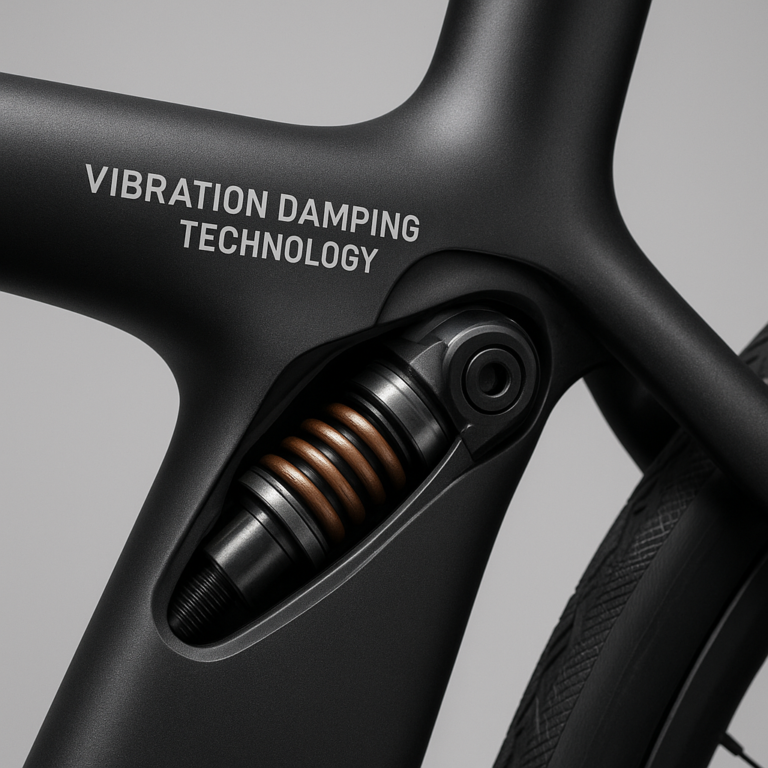
Electronic shifting replaces some or all mechanical cable operation with electronic controls. Certain e-bike systems can also coordinate motor assistance with shifting or support electronically controlled suspension. These features can make operation easier, but compatibility is highly specific: check the exact groupset, frame, battery, firmware, and service support.
Potential advantages:
- Consistent shifting feel when components are set up correctly.
- Reduced cable-maintenance tasks for some systems.
- Buttons that can be positioned to suit the rider.
- On compatible e-bikes, coordination between drive-system components.
Trade-offs:
- More electronics can mean more troubleshooting steps.
- Batteries need charging or replacement.
- Repairs may require a trained mechanic or brand-specific tools.
- Compatibility is not guaranteed across different generations or brands.
For a bike you depend on every day, find out whether a local shop can diagnose and service the system before buying. A technically impressive feature is less impressive when the nearest support is several towns and one ferry ride away.
Anti-Theft Features: GPS Tracking, Alarms, and Digital Locks
Smart security can combine motion alerts, alarms, GPS tracking, app notifications, or electronic locks. These features can help you react sooner, but they are one layer of theft prevention, not a magic force field.
A practical security stack looks like this:
- Lock the frame to a fixed object with a quality lock suited to the risk and location.
- Secure removable components such as wheels and accessories.
- Enable alerts and tracking if your bike’s system supports them.
- Store the serial number and ownership records somewhere safe.
- Park in visible, well-used places and avoid leaving a bike overnight in a high-risk spot when possible.
Tracking products such as Apple AirTag may help locate an item, but they are not dedicated bicycle GPS systems and have practical and privacy limitations. For e-bike-specific connected features, check the manufacturer’s own documentation and the conditions required for tracking, including battery power, cellular coverage, subscription support, and app access.
Crash Detection, Emergency Alerts, and Ride Safety
Some phone apps, watches, and bike computers can detect a suspected crash and alert chosen contacts. That can be reassuring on solo rides, especially in remote areas, but detection depends on the device, settings, connectivity, and whether the event is recognized correctly. A pothole, a dropped device, or a hard stop may produce an unwanted alert; a real crash may not trigger one.
Set up emergency features before a ride:
- Add accurate emergency contacts.
- Check location and notification permissions.
- Review the device’s cancellation period and alert process.
- Tell contacts what an alert means and how to respond.
- Carry a phone or another means of contacting help if practical.
The League of American Bicyclists offers broader riding-safety resources. Smart alerts are an extra safety net; they don’t replace route planning, a well-maintained bike, or telling someone where you’re going.
📱 How Smart Bikes Connect to Phones, Apps, and Wearables
Connected cycling gear typically uses short-range links between devices and, where available, a phone’s internet connection to reach cloud services. A bike computer may pair with sensors; an e-bike app may display battery information; a wearable may send heart-rate data to a compatible computer.
The awkward truth? “Connected” does not always mean “works with everything.” Check supported devices, apps, standards, and software versions before building a digital cockpit that looks like mission control.
Bluetooth, GPS, Wi-Fi, and Cellular Connectivity
| Connection | Common role in cycling | What to check |
|---|---|---|
| Bluetooth | Pairs accessories, phones, sensors, and controls | Supported profiles, pairing steps, and phone compatibility |
| GPS/GNSS | Locates the rider and records routes | Signal conditions, map support, and battery use |
| Wi-Fi | Syncs data or downloads updates on compatible devices | Network availability and account requirements |
| Cellular | Enables remote tracking or live sharing on supported products | Coverage, service plan, and ongoing support |
| ANT+ | Connects compatible cycling sensors and displays | Whether both devices support the same profile |
A useful lesson from an open smart-bike development project: its creators reported that a software-library update broke Bluetooth functionality, forcing them to return to a stable version. The same project noted that Android 6 and later required location services to be enabled for proper Bluetooth use in its setup. Those details are specific to that project and software era, but they show why permissions, firmware, operating-system changes, and app versions can affect connectivity.
Bike Apps, Cloud Platforms, and Third-Party Integrations
Bike apps may provide ride history, route planning, motor settings, maintenance alerts, security controls, or social features. Some brands also upload system status to a cloud platform for updates or service support. Hyena, for example, describes cloud-connected lifecycle and maintenance support on its Smart Integration page.
Before you rely on an app, check:
- Which functions work offline?
- Does the app need an account?
- Can you export ride data?
- Are updates delivered over the air or through a dealer?
- Does the manufacturer explain how data is stored and shared?
- What happens if support for your phone or bike model ends?
For ride recording and route planning, compare platforms such as Strava, Komoot, and manufacturer apps. Integration features change over time, so confirm current compatibility directly with the app and device makers.
Smartphone Mounts, Bike Computers, and Wearable Devices
A phone offers a familiar screen and broad app selection; a bike computer is purpose-built for riding and may be easier to read in changing conditions. Wearables can provide heart-rate data or safety alerts, while smart helmets and lights can add communication and visibility features.
| Device | Best suited to | Watch-outs |
|---|---|---|
| Smartphone | Maps, calls, broad app choice | Weather exposure, battery drain, distraction |
| Dedicated bike computer | Ride data and cycling navigation | Learning curve and ecosystem compatibility |
| Smartwatch | Heart rate, alerts, general fitness | Small screen and battery considerations |
| Smart helmet | Integrated lighting or communications | Fit, charging, controls, and replacement needs |
| Connected lights | Visibility and rider alerts | Battery upkeep and mounting position |
Mount your device securely, keep the screen glanceable, and avoid interacting with it while moving. For a longer-lasting, lower-distraction setup, many riders prefer a dedicated computer for navigation and a phone stowed safely for emergencies.
🔧 Smart Bike Integration: Compatibility and Setup
Good integration begins before installation. Two products can both advertise Bluetooth and still fail to work together because they use different data profiles, software requirements, or control systems.
How to Check Compatibility Before You Buy
Use this step-by-step check:
- Identify your bike and exact component model. Model year matters, especially for e-bike systems.
- Read the manufacturer’s compatibility list. Look for named devices, protocols, and firmware versions.
- Confirm power and mounting needs. Check battery type, cable connections, brackets, and weather protection.
- Check your phone’s operating-system requirements. Make sure the app still supports your device.
- Review service and warranty rules. Some modifications may affect warranty coverage or dealer support.
- Look for replacement and update support. A connected product is only useful if it remains serviceable.
- Ask a qualified shop when unsure. Especially for e-bike wiring, brakes, batteries, and motor components.
For e-bike buyers, consult the bike maker’s technical documentation and dealer network. You can compare models in our Electric Bikes section.
Adding Smart Accessories to a Conventional Bicycle
You do not need a new bike to get connected features. A conventional bicycle can often take a GPS computer, speed or cadence sensor, smart lights, a phone mount, or a compatible tracker.
A sensible upgrade order:
- Start with reliable front and rear lights.
- Add a GPS computer or phone mount if navigation is a genuine need.
- Add sensors only if the data will guide your training or maintenance.
- Consider security technology after choosing a sound physical lock.
- Test one new accessory at a time so it is easier to spot pairing or setup problems.
Some systems can log points of interest, trigger lights or alarms, or send tamper alerts. A documented “IoT on Wheels” smart-bike concept combined a low-energy Bluetooth module, a development board, GPS-taged event logging, controls for lights and a siren, and a shake alarm. The project’s development story is useful inspiration, but a prototype should not be mistaken for a tested commercial product.
Integrating Technology with an Existing E-Bike
E-bike additions need extra care. A third-party component that connects electrically to a motor, battery, brake sensor, or display could interfere with the system or affect warranty and safety. Do not splice into e-bike wiring based on a generic online tutorial.
A safer process:
- Find your e-bike’s exact model and drive-system generation.
- Check the manufacturer’s approved accessories and app.
- Ask the dealer whether a proposed accessory is supported.
- Confirm any installation instructions and warranty implications.
- Have electrical work completed by a qualified technician.
- Test the system in a quiet, controlled place before riding in traffic.
Hyena describes its system as coordinating compatible motors, controls, batteries, lights, brakes, locks, and shifting components through software and communication links. That kind of integration depends on the system’s supported parts; it is not permission to connect arbitrary devices.
Installation, Calibration, and First-Ride Setup
Use the product’s official manual first. Then follow this basic setup sequence:
- Charge all devices and install current, supported firmware.
- Create accounts only where needed; set strong, unique passwords.
- Pair one device at a time, following the manufacturer’s instructions.
- Grant only the phone permissions needed for the chosen features.
- Set wheel size, sensor placement, units, time, and local map region accurately.
- Test lights, alerts, controls, and route guidance while stationary.
- Take a short, familiar test ride.
- Check mounts, cable routing, battery levels, and recorded data afterward.
If a device refuses to pair, remove stale connections from both the phone and accessory, restart them, and try the manufacturer’s documented sequence. The old remedy of “turn it off and on again” is not glamorous, but it has rescued plenty of rides.
🚴 Smart Bike Technology by Rider and Riding Style
The most useful setup depends on where and how you ride. We’ve seen riders happily cover a handlebar with data screens, while others want one reliable light and a bell. Both approaches are valid; the best system is the one that fits your real routine.
Comuting and Urban Cycling
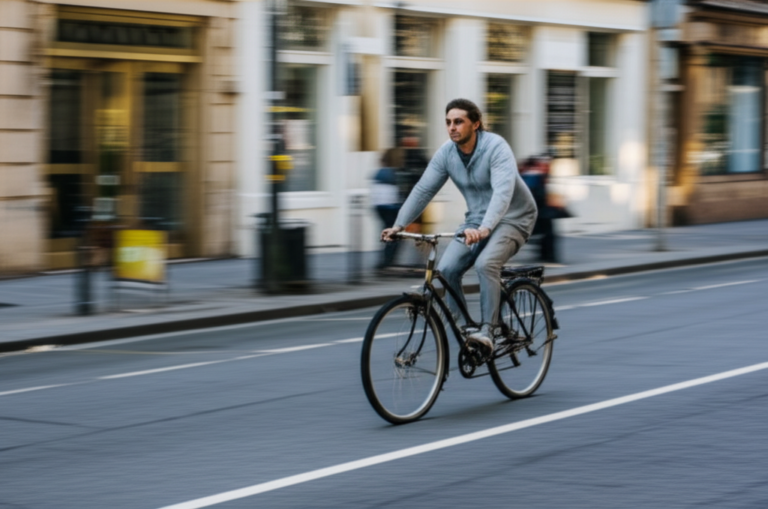
For city riding, prioritize visibility, dependable navigation, theft deterrence, and simple controls. A connected rear light or a secure phone mount may be more useful than a detailed training dashboard.
Urban cycling technology can also extend beyond a single bicycle. The BITS project explored traffic-light priority, smart parking, data collection, dynamic lighting in Zwolle, a rope-light bike path in Aarhus, and Hamburg’s PrioBike Pillar. Its CycleDataHub initiative aims to make cycling data useful for improving infrastructure.
That’s the bigger picture: a rider’s device can help with one trip, while connected infrastructure can improve many trips. Cities still need sound planning, safe design, and public input; sensors alone don’t build a good bike lane.
Road Cycling and Performance Training
Road riders may benefit from a bike computer, cadence sensor, heart-rate monitor, or power meter. The right choice depends on whether you want simple ride records or structured training. Start with reliable data and a comfortable setup; chasing every metric can turn a pleasant spin into a quarterly earnings call for your legs.
For compatible cycling computers, compare the Garmin Edge range and Wahoo ELEMNT range. Confirm the exact model’s mapping, sensor, and app features before committing to an ecosystem.
Mountain Biking and Trail Riding
On trails, robust mounting, readable navigation, and useful ride recording can matter more than phone notifications. Conditions can also make cellular service unreliable, so offline maps and a charged device are worth considering.
- Choose route information that includes trail type and elevation where possible.
- Secure devices against vibration and impacts.
- Keep controls simple enough to use with gloves.
- Carry essential repair and emergency equipment separately from the device.
- Respect trail closures and local access rules.
A GPS track may help you retrace a route, but it won’t tell you whether a trail is safe, open, or appropriate for your skill level. Ask local riders or trail managers when uncertain.
Touring, Bikepacking, and Long-Distance Rides
For long rides, plan around power availability, data access, weather, and serviceability. A phone that does everything is convenient—until navigation, camera use, and poor reception drain its battery before camp.
A resilient setup might include:
- A dedicated navigation device or offline maps.
- A separate front and rear light with adequate charge.
- A compact power bank and suitable cables.
- Downloaded route and emergency information.
- A way to share your route or check in with someone.
- Paper notes or a backup navigation option for remote sections.
If your bike’s smart features depend on an app, check what remains available without internet access before heading somewhere remote.
Cargo Bikes, Family Cycling, and Adaptive Bikes
For cargo bikes and family use, prioritize safety, clear status information, lighting, reliable locks, and easy-to-understand controls. Some e-cargo systems may offer connected battery or service information, but the specific functions depend on the manufacturer.
Adaptive cyclists should assess controls, mounts, alerts, and screen placement around their individual needs. A technology feature that is effortless for one rider may be difficult for another. When evaluating a bike or accessory, ask about alternative control options, adjustability, and local service expertise. See our City Bikes guides for practical urban-bike comparisons.
✅ Benefits and ❌ Limitations of Connected Cycling Technology
Smart technology can make cycling more convenient, provide better feedback, and support safety. It also adds batteries, software, maintenance, and sometimes another account to remember.
| Potential benefit ✅ | Possible drawback ❌ |
|---|---|
| Route guidance and ride records | Device battery can run down |
| Easier access to e-bike status | Proprietary systems may limit compatibility |
| Security alerts and location tools | Tracking depends on power, signal, and service |
| Training feedback | Metrics can mislead without context |
| Integrated lights and controls | More electronics add setup and repair needs |
| City-level cycling data | Data quality and privacy need attention |
Convenience, Safety, Fitness, and Theft Recovery
A well-integrated system can reduce fiddly tasks: one display may show ride information, an app may provide service alerts, and a light may activate through a compatible control. Sensors can also help riders understand patterns in effort and distance.
At the city scale, BITS tested more than 30 solutions across four countries, according to Mobycon. The project’s mix of traffic-light priority, smart parking, dynamic lighting, and cycling data demonstrates that connected mobility is not limited to high-end bicycles.
For theft recovery, tracking can provide useful information, but it cannot guarantee a return. Keep using a physical lock, record your bicycle’s details, and follow the tracker maker’s guidance.
Battery Life, Distractions, Costs, and Vendor Lock-In
More features often mean more charging and more screen time. A phone mounted front and center can tempt you to check messages, while a proprietary app may make it harder to move your ride history elsewhere.
To reduce the downsides:
- Turn off notifications that are not useful during a ride.
- Choose a display that is readable at a glance.
- Charge devices according to the manufacturer’s instructions.
- Export important ride data periodically if the service allows it.
- Check replacement, repair, and app-support policies before purchase.
- Prefer a setup with useful core functions even when the phone is absent.
We recommend choosing reliability and serviceability over feature count. A simple light that works every evening beats an impressive smart-light feature you forgot to charge.
🔐 Privacy, Cybersecurity, and Ownership of Ride Data
A connected bike can generate location history, ride times, device identifiers, and personal account data. That information can be useful for navigation and maintenance, but it deserves the same care as other location data.
Location Tracking, Data Sharing, and App Permissions
Before enabling a connected service, read its privacy information and check the app’s permissions. Ask whether it needs precise location all the time or only during a ride, whether ride data is public by default, and whether you can delete or export information.
Good privacy habits:
- Review profile and activity-sharing settings.
- Limit location permissions to what the feature requires.
- Use strong, unique passwords and multifactor authentication where offered.
- Remove old phones and accounts from your bike’s connected devices.
- Turn off tracking or public ride sharing when you do not need it.
For an explanation of location-data privacy and device permissions, the Federal Trade Commission’s consumer privacy guidance is a useful starting point.
Securing Accounts, Devices, and Connected Bike Systems
Keep apps and device firmware current, install apps from official stores, and avoid reusing passwords. If your bike supports remote locking or location sharing, secure the account that controls those features—not just the bicycle.
If you sell or give away a connected bike:
- Remove personal data and linked devices.
- Sign out of the app and unlink the bike from your account.
- Reset the system using the manufacturer’s instructions.
- Transfer ownership through the official process, if available.
- Confirm that the next owner can access supported services.
🛠️ Maintenance, Troubleshooting, and Software Updates
Smart systems still need ordinary bicycle care. Electronics do not excuse a worn chain, loose wheel, underinflated tire, or brake that sounds like a haunted shopping cart.
Keeping Sensors, Batteries, and Connections Reliable
- Keep sensors and charging contacts clean and dry.
- Inspect mounts and wiring after rough rides.
- Store rechargeable devices according to manufacturer guidance.
- Replace worn batteries with the specified type.
- Check for loose connections before diagnosing a software problem.
- Avoid pressure-washing electronic components unless the manual explicitly allows it.
For e-bike batteries, use the charger specified by the manufacturer and follow the bike’s storage and charging instructions. If a battery is damaged, swollen, unusually hot, or behaving abnormally, stop using it and contact the manufacturer or a qualified service provider.
Common Smart Bike Problems and Practical Fixes
| Problem | First checks |
|---|---|
| Device will not pair | Check Bluetooth, permissions, battery, firmware, and whether it is already paired elsewhere |
| GPS route looks wrong | Confirm activity profile, map region, GPS lock, and route settings |
| Sensor data is missing | Check battery, placement, supported protocol, and app connection |
| E-bike app shows an error | Record the error message and consult the bike maker or dealer |
| Tracker stopped updating | Check bike power, cellular coverage, account status, and service requirements |
| Battery drains quickly | Review screen brightness, navigation, background apps, signal conditions, and battery health |
Make one change at a time. When we troubleshoot several settings at once, we can accidentally fix the original problem and create three new mysteries.
Firmware Updates, App Support, and Long-Term Serviceability
Updates can add features, improve security, or fix bugs; occasionally, an update can also change how a device behaves. The smart-bike prototype described earlier encountered a Bluetooth failure after a library update and recovered by reverting to a known stable version. That is a development anecdote, not advice to downgrade commercial products without manufacturer support.
Before updating:
- Read the release notes.
- Charge the device and phone.
- Save important settings or ride data if possible.
- Update through the official app or service process.
- Test pairing and core functions before relying on them on a long ride.
Ask a brand how long it expects to support software, replacement parts, and service for the model you’re considering. Long-term support is part of the product.
♻️ Standards, Interoperability, and the Future of Smart Cycling
Connected cycling works best when devices and data systems can communicate reliably. Yet the market still includes proprietary apps, brand-specific motor systems, and different accessory protocols. The result can be excellent integration inside one ecosystem—and frustration when you try to mix systems.
Open Standards and Compatibility Across Brands
Look for clear compatibility statements, supported sensor standards, and published service guidance. Before buying, verify that the exact devices—not merely the product categories—are compatible.
Hyena describes CAN-based communication in its system, while cycling accessories may use Bluetooth or ANT+ protocols. Those are examples of different communication approaches; the presence of one protocol does not guarantee that every feature will interoperate.
When comparing brands, ask:
- Does this accessory pair directly with my computer or only through an app?
- Can I use a third-party sensor?
- Are updates and diagnostics available through local shops?
- Can ride data be exported?
- Will the system still function if a cloud service is unavailable?
AI, V2X Connectivity, and Intelligent Cycling Infrastructure
The next stage may connect bikes with traffic signals, parking systems, public transport, and road-safety data. BITS tested traffic-light priority, dynamic lighting, smart parking, and cycling-data tools; its follow-up project, MegaBITS, planned further work in Copenhagen, Hamburg, and Le Havre, according to Mobycon.
These systems could help cities understand cycling patterns or improve signal timing. But data needs responsible governance, transparent goals, and privacy safeguards. More sensors are not automatically better streets; the useful question is whether they produce safer, more comfortable routes for people riding.
Sustainability, Repairability, and E-Waste Considerations
Every connected accessory adds materials, batteries, and eventual electronic waste. A longer product life reduces the need to replace equipment just because an app changes or a small component fails.
Choose products with:
- Replaceable batteries where practical.
- Available spare mounts, chargers, and sensors.
- Clear repair and recycling instructions.
- Support for common devices and data export.
- A realistic software-support policy.
For e-bike battery recycling and safety information in the United States, see the U.S. Environmental Protection Agency’s guidance on lithium-ion batteries.
🛒 How to Choose Smart Bike Technology
Start with the ride, not the gadget. Ask what frustrates you now: finding routes, being seen at dusk, keeping track of training, securing a bike, or understanding e-bike battery status. Then choose the simplest compatible solution that addresses that problem.
Essential Features for Your Budget and Riding Needs
| Your priority | Features to consider | Check before buying |
|---|---|---|
| City commuting | Bright lights, secure mount, theft alerts, navigation | Visibility, weather protection, mounting, local service |
| Fitness riding | GPS computer, cadence, heart rate, power | Sensor compatibility and data export |
| E-bike convenience | Clear display, battery status, supported app | Dealer support and model-specific compatibility |
| Touring | Offline navigation, long runtime, charging options | Power use, maps, and backup plans |
| Theft deterrence | Quality physical lock plus compatible alert or tracker | Signal, subscription, battery, and privacy |
| Family or cargo riding | Simple controls, lights, maintenance alerts | Ease of use, accessibility, and repair support |
Our advice: buy the boring essentials first—good brakes, well-fitted lights, a suitable lock, and a properly maintained bicycle. Then add connectivity that earns its place on your bars.
Questions to Ask Before Choosing a Smart Bike or Accessory
- What everyday problem will this feature solve?
- Does it work with my exact bike, phone, and accessories?
- Which functions work without an app or mobile data?
- How often does it need charging?
- Can I get it serviced locally?
- Are replacement parts available?
- What ride and location data does it collect?
- Can I export or delete that data?
- What happens if the app or cloud service is discontinued?
- Is installation safe and permitted by the bike’s manufacturer?
Smart Bike Brands and Connected Cycling Products to Compare
| Brand or product | What it’s known for | Best comparison point |
|---|---|---|
| Garmin Edge | Cycling computers and navigation | Features, mapping, sensor compatibility |
| Wahoo ELEMNT | Cycling computers and training ecosystem | Setup, navigation, app integration |
| Bosch eBike Systems | E-bike drive systems and connected functions | Bike-model compatibility and dealer support |
| Hyena | Integrated e-bike drive-system technology | The complete bicycle’s supported features |
| Lumos | Connected helmets and lighting products | Fit, lighting, controls, and model-specific details |
| Apple AirTag | Item-finding network accessory | Limitations versus a dedicated bike tracker |
Shop the exact product or model through the brand’s official documentation where possible; product features and compatibility can vary by year. Browse our Bike Reviews, Bike Accessories, and Electric Bikes for more comparisons.